
Try the real thing
Live, hands-on Power BI reports with writeback switched on. Open a demo and enter, calculate and save data, straight in the browser.
All data is stored anonymously and is deleted once a day. Some features and workflows are disabled for this demo.
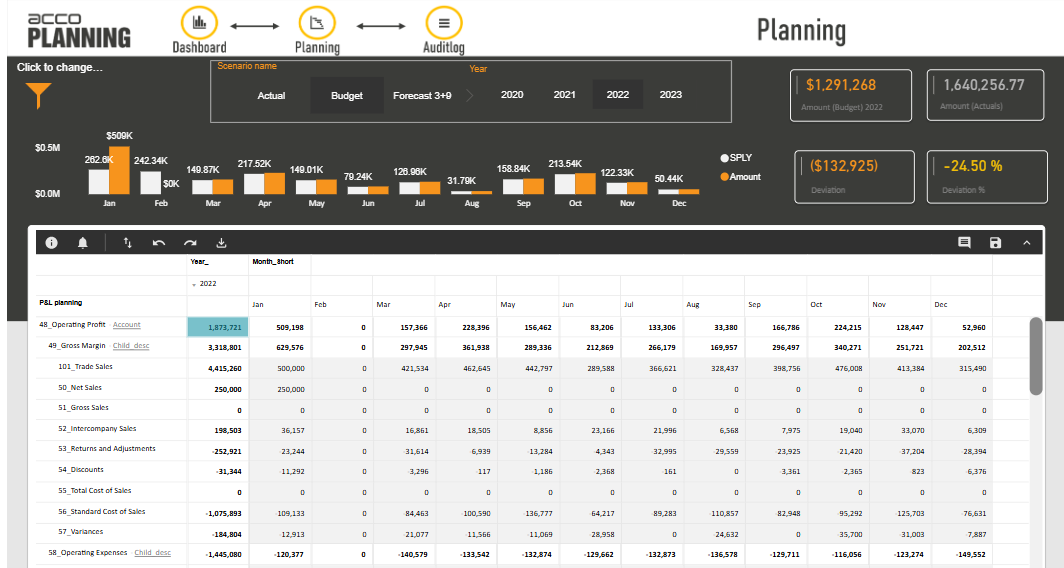
P&L planning
A classic P&L planning report built on the accoPLANNING visual. Use the filter icon to change dimension, or try a 3+9 estimate where the first three months hold actuals and are locked for input. Test the splashing function by entering a value at a parent level, and try the cell comments.
All data is stored anonymously and is deleted once a day. Some features and workflows are disabled for this demo.
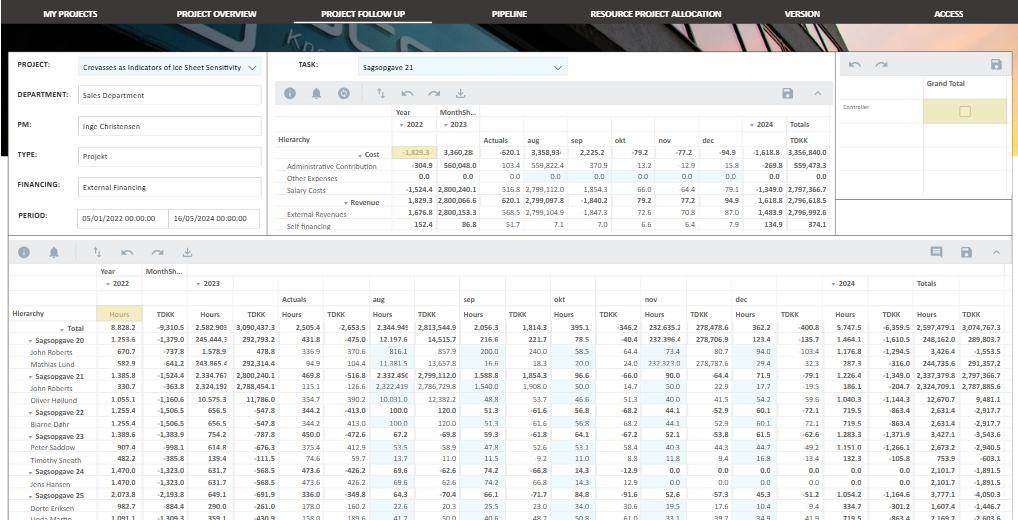
Project planning
See how the accoPLANNING visual handles project planning, including workflow, versioning, resource allocation and access control. The possibilities are endless once you can write data straight back to a database.
All data is stored anonymously and is deleted once a day. Some features and workflows are disabled for this demo.
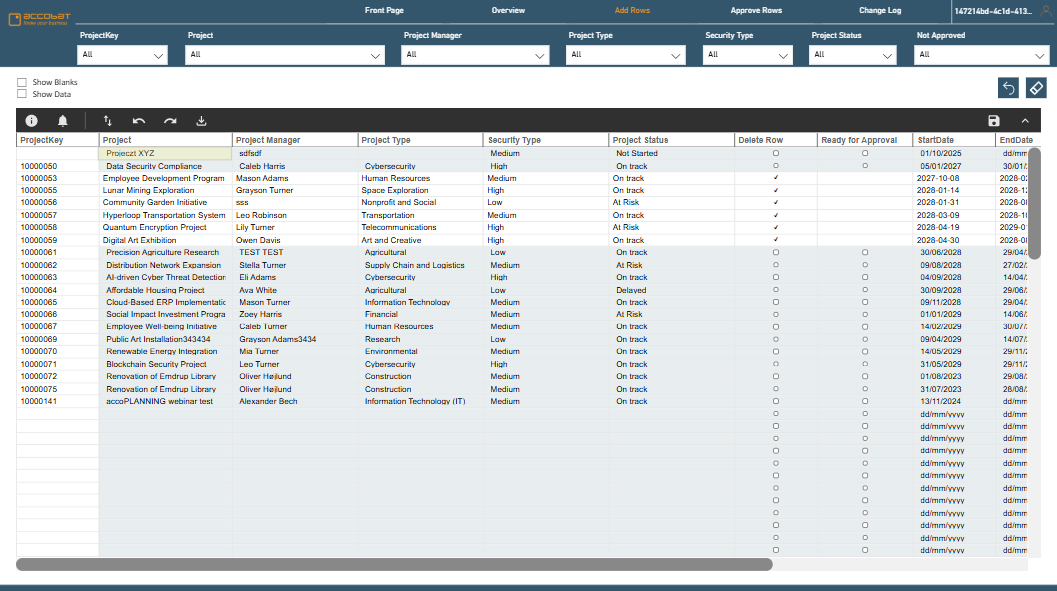
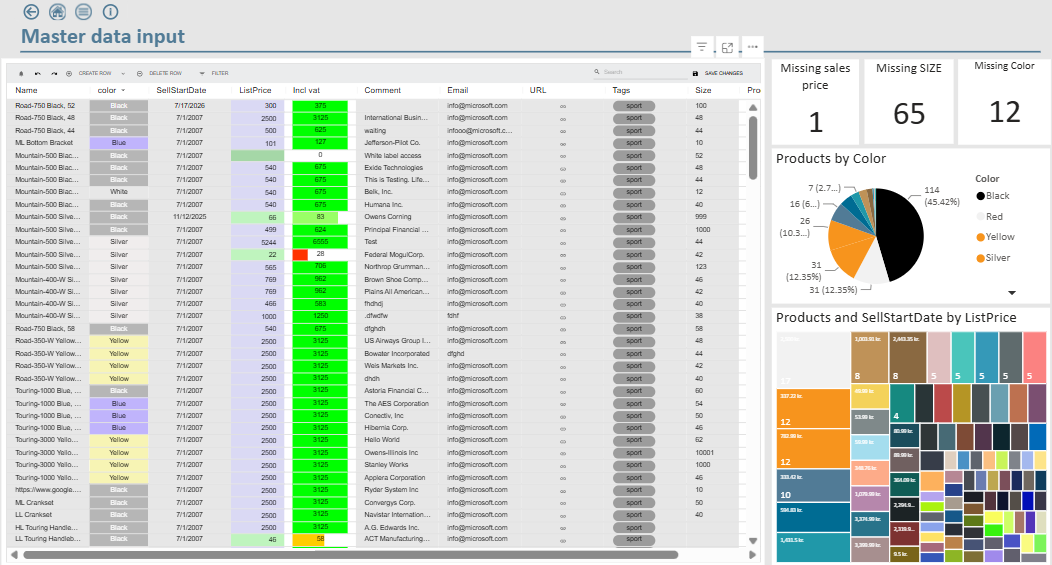
Master data in accoPLANNING
Master data management is one of the most common requests for accoPLANNING and data writeback. See validations with in-cell dropdowns, copy-paste from Excel and approval workflows. Every change is stored in the database, giving you a full change log and audit trail.
All data is stored anonymously and is deleted once a day. Some features and workflows are disabled for this demo.
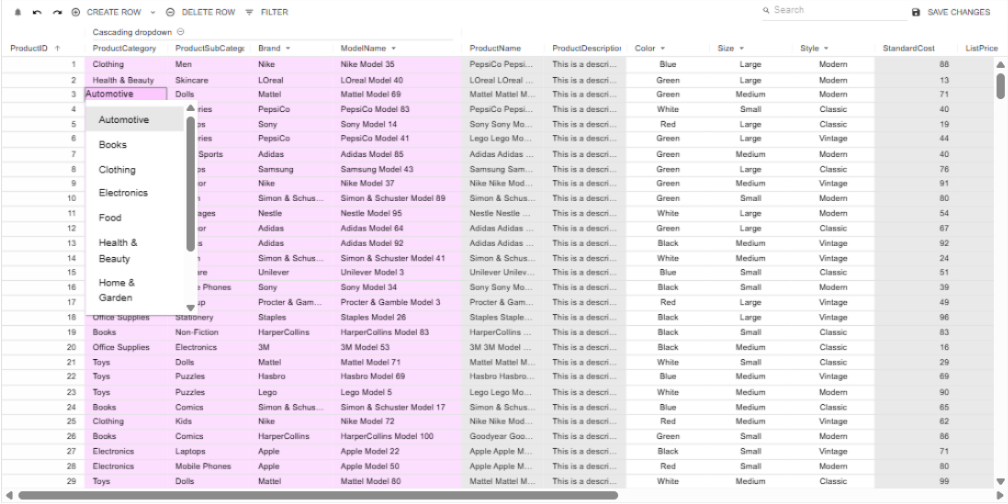
Cascading dropdowns
High-performance cascading dropdowns with dynamic configuration, capable of handling millions of possible combinations.
- ✓ Each selection determines the available options in the next column.
- ✓ Dependencies defined dynamically from data-model measures, or configured manually.
- ✓ Example hierarchy: Product category → Subcategory → Brand → Model name.
All data is stored anonymously and is deleted once a day. Some features and workflows are disabled for this demo.
accoMASTERDATA
accoMASTERDATA is built for master data management. See extended validation rules and advanced in-cell dropdowns, copy-paste from Excel and approval workflows. Every change is stored in the database, giving you a full change log and audit trail.
All data is stored anonymously and is deleted once a day. Some features and workflows are disabled for this demo.