
accoPLANNING, accoMASTERDATA & accoCOMMENT
All tools live under the accoTOOL brand, so you can mix and match depending on your needs.
 accoPLANNING
Operational planning at every level, from financial planning to production planning, through automation and ease of use.
Budgeting, forecasting and planning grids.
Explore accoPLANNING ↗ accoMASTERDATA
Maintain master data directly in Power BI, with extra focus on validation and precision.
Clean, reliable, governed master data.
Explore accoMASTERDATA → accoCOMMENT
Collaborative planning and reporting, rich-text comments with workflows and audit trails.
Context, transparency and accountability.
Explore accoCOMMENT →Each tool works independently, and they share the same real-time writeback engine.
The purpose of the visuals differs
Although the visuals are built on the same architecture, each one has a distinct purpose.
accoPLANNINGSupports business users with operational planning at every level, from financial planning to production planning, through automated processes and ease of use.
accoMASTERDATALets companies maintain master data directly in Power BI, with additional focus on validation and precision.
accoCOMMENTSupports collaborative planning and reporting with rich-text comments, workflows and audit trails, ensuring transparency and accountability.
A compact overview to compare and share
Get a compact overview of the utility and value each tool provides across different business cases, easy to compare and share.
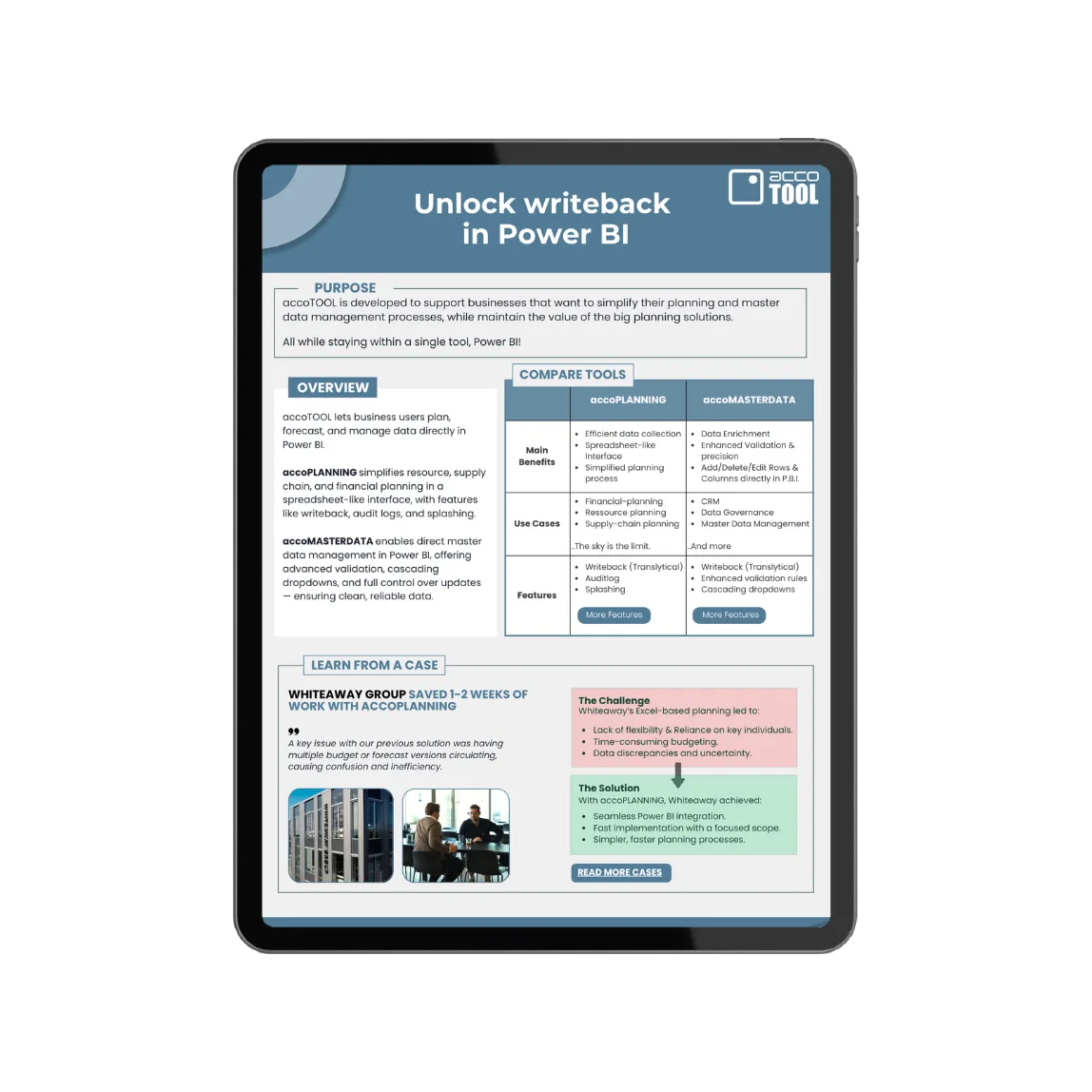
Combine accoTOOL visuals for a holistic data solution
By combining multiple visuals, organizations turn Power BI from a reporting tool into an active platform for data management and planning, supporting the entire FP&A cycle, with no external tools.
- ✓A single source of truth: master data is centrally governed and consistent across reports and models.
- ✓Connected planning & reporting: updates flow automatically into forecasting and planning models.
- ✓Fewer manual tasks: automates data pickup and removes parallel, redundant processes.
- ✓Higher data quality: data becomes more consistent, accurate and reliable.
- ✓Faster decisions: workflows become simpler, clearer and more structured.
- ✓An active management platform: Power BI becomes a live platform, not just a reporting interface.
In short: more structure, less complexity, and a platform that drives confident, data-driven decisions.
Head-to-head comparisons
A closer look at how accoTOOL differs from the two alternatives we are asked about most.
accoTOOL vs Fabric Planning
Fabric Planning puts planning in a separate Fabric item. See what that means for adoption, dimensionality and transaction keys.
Read the comparison →accoTOOL vs Acterys / Vena
Acterys adds a planning platform between Power BI and your data. See what that extra layer costs you architecturally.
Read the comparison →accoTOOL vs a fully vibecoded app
AI and Fabric Apps build an application in days. See which parts should stay generated, and which belong on a foundation IT can still support in ten years.
Read the comparison →