Maximize the Value of accoTOOL
Getting started with accoPLANNING or accoMASTERDATA can be a game-changer for streamlining your Power BI workflows. To get the most out of your accoTOOL, it's important to approach them with a clear plan and an understanding of their powerful features. With the right strategy, you can streamline your workflows and enhance efficiency in Power BI.
Avoid Overengineering Your Journey!
History has shown that planning is key to achieving success, and the same applies when integrating accoTOOLs into your workflow. A well-thought-out approach helps avoid unnecessary complexity and ensures a smooth implementation.
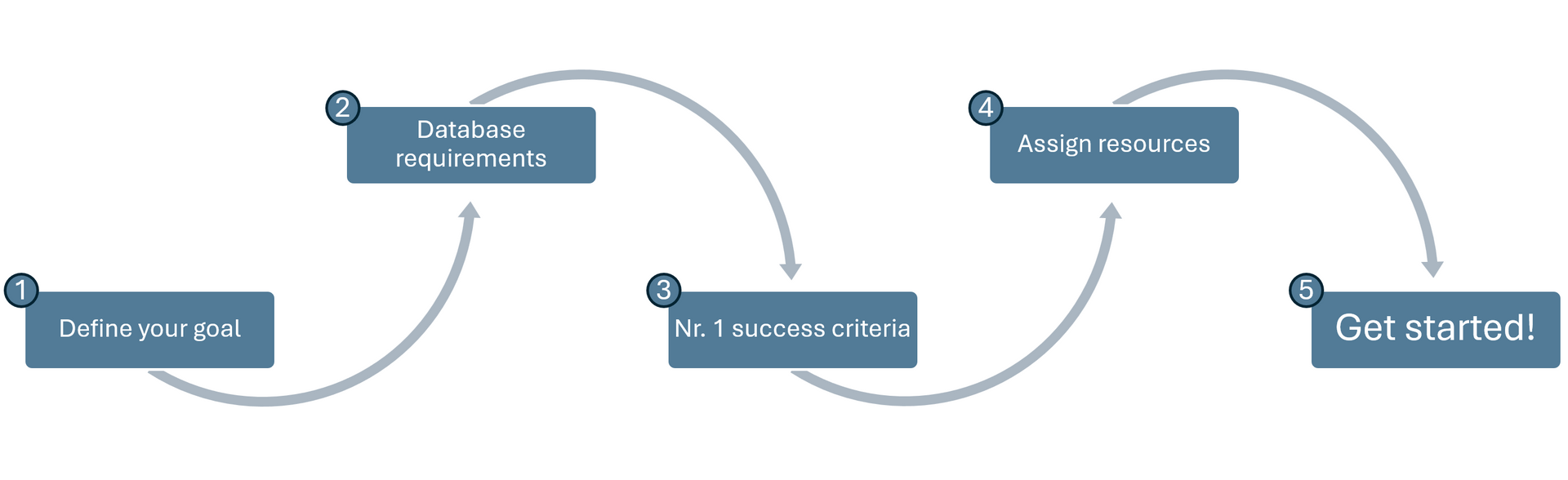
Start by defining your current position:
✅ What is your primary goal with accoPLANNING or accoMASTERDATA?
✅ Is your database hosted in the Cloud or on-premises?
✅ Define the initial scope – What is the
#1
success criteria?
✅ Assign resources – Who needs to be involved?
✅ Remember:
We’re here to help!
Once you have a clear plan, you’ll be ready to explore the full potential of accoTOOLs. The next step is to make use of the solid set of features the tools make available to you in order to enhance efficiency and streamline your workflows.
Tips & Tricks - Get a headstart
With your strategic foundation successfully planned out, it’s time to explore some of the powerful features we believe will enhance your workflow immediately! We have collected a few potent features below (see the rest here: accoPLANNING / accoMASTERDATA).
✅ Data Splitting (Splashing): Use Power BI measures to distribute data dynamically. For example, pre-fill an empty budget with last year’s realized figures plus 5%.
✅ CellLock Functionality: Lock specific cells via measures. You can prevent editing of past months or restrict input in certain account categories.
✅ Dropdown Menus: Improve data quality and user experience by restricting input choices. Dropdowns can be defined via measures based on existing tables or manually configured lists.
✅ User Access Management: Create a Power BI report to manage and assign data access at a granular level. Easily control who can access what based on department, project, or other criteria.
✅ Connection Settings Optimization: Use measures to configure connection settings dynamically. This simplifies switching between development and production environments or creating new accoTOOL tables without manual input.
Want more guidance? Book a meeting!
By following these steps, you’ll be well on your way to unlocking the full potential of accoPLANNING and accoMASTERDATA.
Happy planning!