Why Finance Teams Need Planning Analytics
Finance teams are being asked to do more than close the books and explain variances. They are expected to spot risk earlier, test multiple futures, and give leaders a grounded view of what is likely to happen next.
That is exactly where planning analytics earns its place.
The case for it is no longer abstract. The 2025 AFP FP&A Benchmarking Survey found that 96% of respondents still use spreadsheets for planning, and 93% use spreadsheets for reporting on a daily or weekly basis. At the same time, a 2024 Gartner survey of CFOs said metrics, analytics, and reporting were the top finance priority for 2025.
Those two facts sit side by side for many organizations. The ambition is analytical. The day-to-day workflow is still heavily manual.
Finance planning analytics moves FP&A beyond static reporting
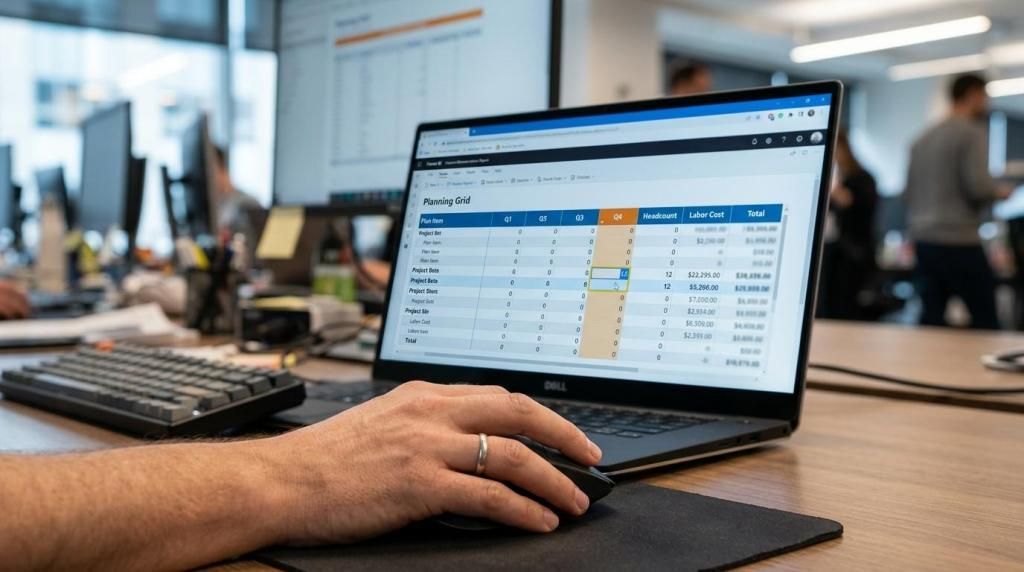
Planning analytics gives finance a way to connect actuals, assumptions, and forecasts inside a shared decision process. It is not just a dashboard layer. It is the structure that lets a team model drivers, run scenarios, write back approved inputs, and compare outcomes against plan in near real time.
That changes the role of FP&A. Instead of spending most of the cycle collecting files, checking formulas, and consolidating versions, finance can spend more time on business performance insights. Conversations shift from “Which file is correct?” to “What changed in price, volume, mix, staffing, or working capital, and what should we do next?”
This matters because planning quality depends on speed, trust, and repeatability, not only analytical talent.
A useful planning analytics setup usually brings together a few core elements:
- driver-based planning
- rolling forecasts
- scenario modeling
- commentary and approvals
- database writeback
- controlled master data
When these pieces work together, finance becomes faster without giving up control.
Spreadsheet-based planning slows finance teams down
A practical way to evaluate planning analytics is to focus on features that reduce manual work and increase confidence in the numbers. Driver-based models link results to business assumptions like headcount or pricing, making forecasts easier to explain and update. Rolling forecasts keep planning relevant by allowing regular updates instead of waiting for annual cycles. Structured scenario planning lets teams quickly compare base, downside, and upside cases for faster decisions under uncertainty.
Other essential capabilities include real-time writeback, which saves approved entries directly to a governed database and reduces copy-paste work and version confusion. Commentary and workflow tools capture context, ownership, and approvals, improving accountability and business alignment. Master data controls keep entities, cost centers, products, and accounts consistent, preventing errors from bad reference data. AI-assisted forecasting uses statistical or machine learning support to help teams scale analysis beyond manual judgment.
The growing importance of these capabilities is clear: a 2025 Deloitte and IMA survey found that 53% of finance leaders had already integrated, or planned to integrate, emerging technologies like AI and advanced analytics into their cost and profitability management models. While not every finance team needs a complex setup from day one, it’s essential to have a planning environment that supports a clear path from manual models to more data-driven forecasting.
Planning analytics capabilities that matter in FP&A
Not every planning platform solves the same problem. Some are designed for top-down target setting, while others excel in operational input, workforce planning, or scenario testing. The right choice depends on the questions your finance team needs to answer most often.
When evaluating planning analytics, focus on capabilities that reduce manual work and boost confidence in your numbers. Key features to look for include driver-based models that link results to business assumptions like headcount or pricing, rolling forecasts that keep plans current, and structured scenario planning for comparing different outcomes. Real-time writeback eliminates version confusion by saving approved entries directly to a governed database, while commentary and workflow tools improve accountability by capturing context and approvals. Master data controls help maintain consistency across entities and accounts, and AI-assisted forecasting allows teams to scale analysis beyond manual judgment.
Interest in these capabilities is growing. A 2025 Deloitte and IMA survey found that 53% of finance leaders had already integrated, or planned to integrate, emerging technologies like AI and advanced analytics into their cost and profitability management models. While not every team needs a complex setup from the start, it’s important to have a planning environment that can evolve from manual models to more data-driven forecasting.
Rolling forecasts and scenario planning improve finance agility
Annual budgeting still matters, but it is no longer enough on its own. Markets move faster, cost structures shift sooner, and operational leaders want new forecasts long before the next budget season arrives.
That is why rolling forecasts have become a standard expectation in FP&A. APQC reports that activity-based budgeting and rolling forecasts are now mainstream. The same research says many forecasts still rely on manual or basic analytics, which creates a gap between the planning method and the toolset used to support it.
Scenario planning adds another layer of value. A static plan answers, “What did we expect at the start of the year?” A scenario model answers, “What happens if demand softens by 8%, hiring is delayed one quarter, or gross margin improves faster than expected?”
A structured approach often starts with a few clear views:
- Base case: expected revenue, cost, and staffing assumptions
- Downside case: lower demand, slower collections, or higher input costs
- Upside case: stronger conversion, faster expansion, or margin gains
Once those scenarios live inside a governed planning model, finance can update them quickly and show the business the impact by entity, product line, or department. That is a major step forward from building fresh spreadsheet tabs every time leadership asks a new question.
Power BI planning analytics keeps data, models, and writeback connected
Many organizations already use Microsoft Power BI as a central reporting layer. That creates a strong opening for planning analytics, because the business already trusts the reports, the model structure, and the language of the KPIs.
Embedding planning into Power BI can remove a lot of friction. Instead of exporting data, editing offline, and sending files back for consolidation, users can enter plan values directly in a governed interface tied to the same reporting model they use for analysis. When writeback is connected to SQL Server, whether in Azure or on-premises, approved changes can flow back to the database in real time.
For finance teams, that means the planning process stays closer to the source of truth. For business users, it means less context switching. For IT, it can mean reusing the existing Power BI data model instead of standing up a separate planning stack with a special schema.
Tools built specifically for this model, including accoTOOL’s Power BI products for planning, commenting, and master data management, are designed around that approach. Native integration, grid-style editing, real-time writeback, and support for cloud, hybrid, or on-prem deployment give teams options without forcing them to abandon their current BI investment.
In practice, teams usually value a few outcomes most:
- Single source of truth
- Real-time updates: approved inputs are saved without spreadsheet handoffs
- Lower user friction: planners work inside familiar Power BI reports
- Stronger governance: finance and IT keep control over data structure and access
That combination is often what turns planning analytics from an interesting idea into an operational habit.
Published Power BI planning outcomes show measurable gains
The strongest case for planning analytics is not theory. It is the change in cycle time, control, and user confidence after planning moves into a governed BI environment.
In a published accoTOOL case on Whiteaway Group, the company said budgeting and forecasting preparation had previously taken up to two weeks. After implementing accoPLANNING, model updates reportedly dropped to just two minutes. The same case says the business reduced time spent and eliminated data chaos by creating a single source of truth across the organization.
Another published case collection from accoTOOL points to similar themes in other Power BI planning projects. PensionDanmark is described as having streamlined budgeting and master data management, while also reducing system silos and giving project leaders more direct access to the planning process.
These examples do not mean every finance team will see the same numbers. They do show a pattern: when planning lives where reporting already happens, and when writeback is part of the architecture, finance can move faster with less operational drag.
What finance leaders should look for in planning analytics software
The smartest software choice is usually the one that fits the current reporting stack, the data governance model, and the operating rhythm of FP&A. For teams already standardized on Power BI, that often means asking a practical set of questions.
Can the platform reuse the existing Power BI model? Can users write back directly to SQL Server with proper security and auditability? Does it support rolling forecasts, structured scenario planning, comments, approvals, and master data controls? Can it work in cloud, hybrid, or on-prem setups if policy requires it?
The next question is just as important: will business users actually adopt it? A finance system can be technically sound and still fail if everyday planning feels too far removed from how managers already work. Familiar interfaces, fast updates, and visible links between input and outcome make adoption much more likely.
CFO priorities are already pointing in this direction. Gartner’s survey showed that metrics, analytics, and reporting ranked above broader finance transformation efforts for 2025, with AI adoption also high on the list. That sends a clear signal. Finance leaders do not need more disconnected tools. They need planning analytics that turns trusted data into faster decisions.
Wide Consulting’s
overview of nine finance KPIs underscores the kinds of measures CFOs lean on when translating trusted reporting into faster operational decisions.
For many organizations, that starts by bringing planning into the same environment where people already read the numbers, question the drivers, and act on the results.