Master Data Management for Power BI
Clean analytics start with clean master data. When customer names, product hierarchies, cost centers, or locations differ across systems, Power BI reports inherit that inconsistency. The result is familiar to finance, operations, and BI teams: duplicate entities, broken relationships, manual reconciliation, and reduced confidence in every dashboard.
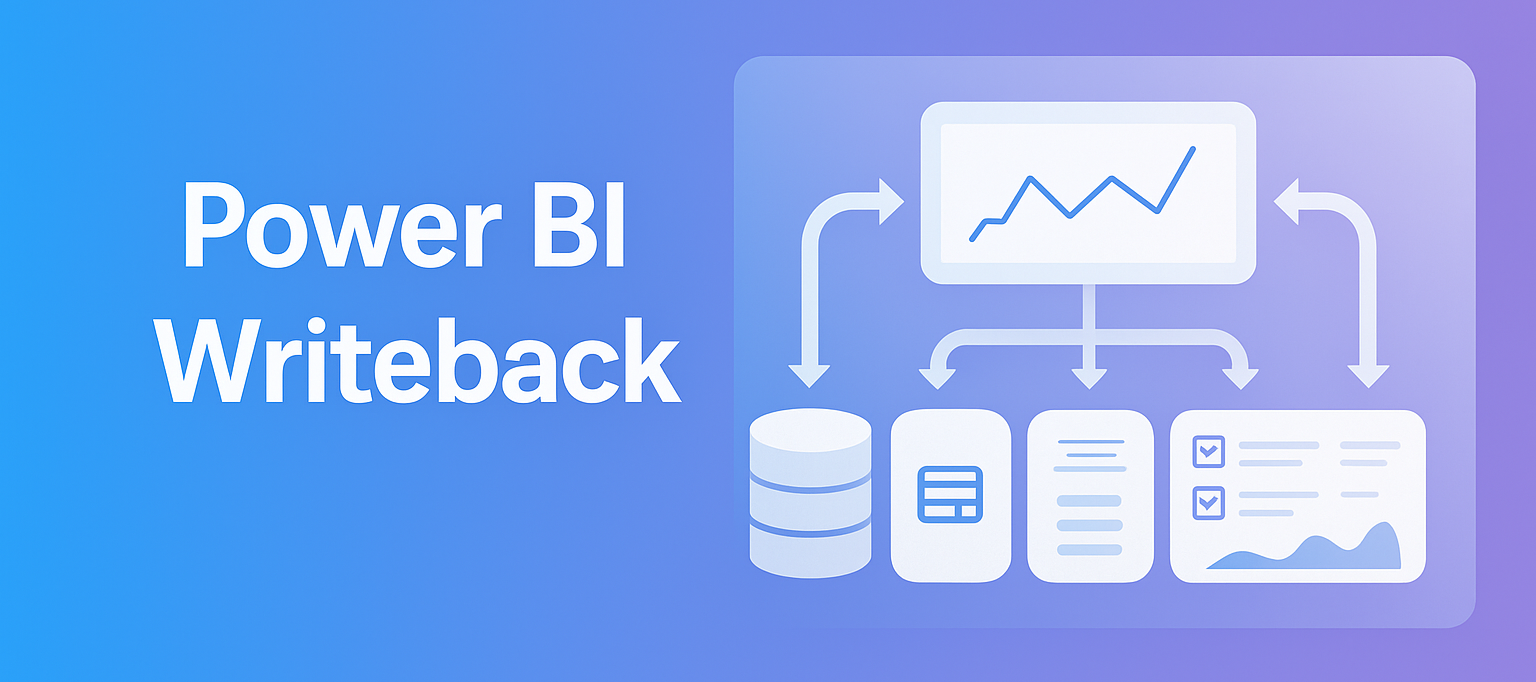
A stronger approach keeps master data governed, editable, and close to the reporting layer. With accoTOOL, organizations can manage master data inside Power BI while writing approved changes back to SQL Server in real time, whether the environment is cloud, hybrid, or on premises.
Why managed master data matters inside Power BI
Power BI is highly effective at modeling, analysis, and visualization. Yet it depends on the quality of the data beneath it. If source systems disagree on key business entities, report logic becomes harder to maintain and users begin creating workarounds outside the model.
That is where disciplined master data practices make a measurable difference. Standardized records for customers, products, suppliers, accounts, and organizational structures create a stable foundation for reporting, planning, and auditability. Instead of correcting errors after the fact, teams can control valid values, enforce naming standards, and maintain approved hierarchies before inconsistent records spread across reports.
This matters even more when Power BI is used for operational reporting, budgeting, forecasting, and cross-functional analysis.
Power BI data governance for master records
Master data management is not only a technical project. It also requires clear accountability, approval paths, and change controls. When those elements are in place, Power BI becomes more than a read-only reporting surface. It becomes a governed business application layer.
A practical operating model usually assigns ownership by domain and separates policy from day-to-day maintenance. That keeps decisions clear and makes data quality issues easier to resolve.
- Data owners: define standards, approve business rules, and decide which domains require formal governance
- Data stewards: review exceptions, maintain valid values, and monitor data quality over time
- BI administrators: manage security, gateways, refresh behavior, and report deployment
- Report owners: use approved master data sources and keep report logic consistent with governance rules
This structure helps teams move faster because responsibilities are visible rather than implied.
Power BI master data architecture with SQL writeback
Many organizations already have the core pieces required for managed master data: a Power BI semantic model, SQL Server or Azure SQL, and defined business processes around entity maintenance. The missing piece is often controlled writeback inside the reporting experience.
accoTOOL addresses that gap with native Power BI visuals and writeback capabilities. Instead of forcing users into a separate portal, master data can be updated directly from a report page through a grid-style interface. Changes are written back to the underlying database in real time, which means the reporting layer and the operational record stay connected.
This approach is attractive for teams that want to reuse an existing Power BI model rather than rebuild data structures around a separate MDM platform. It also fits organizations with stricter infrastructure requirements, since deployments can be cloud-based, hybrid, or fully on premises.
- Maintain master records
- Traditional approach: Separate application or manual SQL updates
- accoTOOL approach: Edit records directly inside Power BI
- Control valid inputs
- Traditional approach: External forms or ETL checks
- accoTOOL approach: Validation rules and dropdowns in the visual
- Audit changes
- Traditional approach: Database logging or custom development
- accoTOOL approach: Built-in audit support for each input
- Keep reports current
- Traditional approach: Scheduled refresh after external changes
- accoTOOL approach: Real-time writeback to SQL-backed sources
- Reuse current model
- Traditional approach: Often requires redesign
- accoTOOL approach: Works with existing Power BI data models
Master data domains that benefit from in-report maintenance
The highest-value domains are usually the ones used across many reports and business processes. Product, customer, chart of accounts, organizational structures, cost centers, planning dimensions, and reference tables are common starting points.
When these domains are maintained inside Power BI, business users can work in a familiar environment while still following governed rules. That reduces friction. It also shortens the path between identifying a data issue and correcting it.
Typical use cases include:
- Product and SKU attributes
- Sales territory mappings
- Cost center structures
- Scenario and version dimensions
- Customer classification tables
- Planning reference data
accoMASTERDATA capabilities for governed master data in Power BI
accoMASTERDATA is built for teams that want direct control over master data without leaving Power BI. It embeds a powerful editing experience in the report, which makes data maintenance feel natural to analysts, finance users, and operational teams already working in Microsoft’s BI environment.
The visual supports inserting, updating, and deleting records, with changes written back to the selected SQL-based target. Input can include text, numbers, dates, and controlled selections. Validation rules can be applied at entry time, helping prevent low-quality records from being saved. Audit logging adds traceability for compliance, review, and operational oversight.
Because the solution is native to Power BI, organizations can keep their current security model, current reports, and current user experience. There is no need to move users into another interface just to maintain dimensions or reference tables.
Key capabilities often requested by enterprise teams include:
- Real-time SQL writeback
- Grid-based editing
- Copy and paste from Excel
- Audit trails
- Rule-based validation
- Cascading dropdowns
- Cloud, hybrid, or on-prem deployment
- AppSource-certified rollout options
Data quality controls that improve reporting confidence
When master data is governed at the point of maintenance, reporting quality improves quickly. Duplicate labels become easier to remove. Entity relationships stabilize. Filters behave more predictably. Report authors spend less time building exceptions into DAX or Power Query to compensate for inconsistent source values.
That improvement is not only cosmetic. It affects planning cycles, forecasting accuracy, and executive reporting. If a cost center is assigned incorrectly, or if two product codes represent the same item, every downstream measure is at risk. Controlled writeback reduces that exposure by putting validation and stewardship close to the business process that creates the data.
A few controls make an outsized difference:
- Validation rules: stop invalid values before they reach the database
- Approved dropdowns: keep users within governed lists and hierarchies
- Audit history: track who changed what and when
- Role-based access: restrict editing rights by workspace, report, or data scope
Deployment options for enterprise Power BI environments
Enterprise teams rarely want a one-size-fits-all architecture. Some require Azure SQL and cloud-native deployment. Others need on-prem SQL Server, private endpoints, or gateway-based connectivity due to regulatory or infrastructure constraints. accoTOOL supports these variations without forcing a special data schema for Power BI.
That flexibility matters for Microsoft partners and BI consultancies as well. Reusing a client’s current semantic model can reduce project complexity and speed up delivery. Instead of building a separate maintenance application, consultants can introduce governed writeback directly inside the reporting layer their client already uses.
For organizations with broader planning needs, the same platform can also support budgeting, forecasting, commentary, and writeback-driven workflows through related products in the accoTOOL portfolio.
Business outcomes from managed master data inside Power BI
Well-governed master data changes how teams work. Finance gains tighter control over planning dimensions and hierarchies. Operations can maintain reference tables without waiting for long development cycles. BI teams spend less time correcting source inconsistencies and more time improving analysis.
The result is a Power BI environment that is not only informative, but actionable.
When master data maintenance stays inside the platform where users already review metrics, decisions get made faster and with more confidence. That is the practical value of bringing writeback, governance, and reporting together in one Power BI experience.