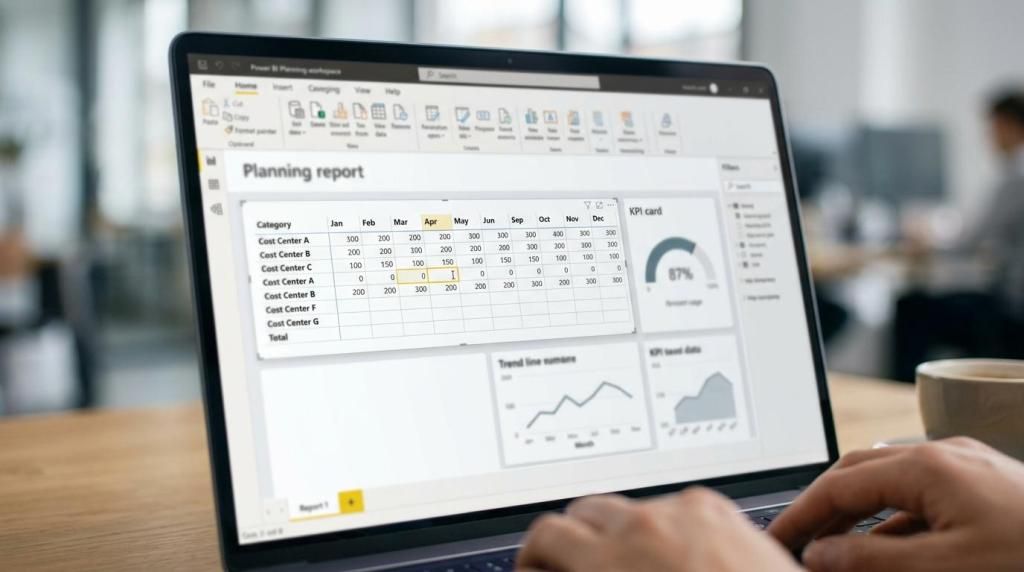
accoTOOL helps Power BI teams turn reporting into a place where decisions can actually move forward. With accoCOMMENT for Power BI, you can capture structured comments, approvals, tasks, attachments, ratings, and audit history directly inside the report, with writeback to your data environment instead of relying on scattered email chains or disconnected chat.
This is built for finance, operations, and data teams at mid-market and enterprise organizations, plus BI consultancies and Microsoft partners delivering Power BI solutions. If your users already review reports in Microsoft Teams, accoTOOL keeps the governed record inside Power BI while Teams remains the place where people surface, share, and discuss the report.
accoTOOL power bi commenting for teams that already work in Microsoft Teams
Native Power BI comments and Teams collaboration are useful, but they are intentionally lightweight. Power BI can preserve report context for the first thread post, and Teams makes reports easier to access and discuss, yet many review cycles still need a richer record of who commented, what evidence was attached, who was assigned, and what was approved.
"accoTOOL extends Power BI commenting with rich text, attachments, approvals, and writeback, so the working record stays inside Power BI."
accoCOMMENT is designed for that gap. accoTOOL keeps the comment object inside Power BI, tied to the report experience your stakeholders already use, so finance reviews, operational exceptions, and KPI discussions do not have to drift into spreadsheets or loose chat threads.
If your collaboration happens in Teams, that matters for a simple reason: your team can keep the conversation visible in Teams while storing the authoritative business comment inside Power BI. That gives you clearer ownership and better traceability than relying on chat alone.
Power BI tabs in Teams support reports, paginated reports, scorecards, and apps, not dashboards. accoTOOL is strongest when your collaboration process is built around Power BI reports and your users already have the right Power BI permissions and licensing in place.
accoCOMMENT adds attachments, approvals, and SQL writeback to Power BI comments
accoTOOL turns a basic Power BI comment into a working item your team can act on. With accoCOMMENT, you can use features such as:
- Rich-text comments and attachments: Add clear narrative and supporting files for variance explanations, review notes, and evidence.
- Task assignment and approvals: Route follow-up to the right person and document the approval path inside the report.
- Ratings and audit history: Prioritize issues and maintain a traceable record of changes, inputs, and decisions.
- Database writeback: Store comment data in SQL-backed environments, including Azure, Fabric, and on-prem patterns supported by your architecture.
Because accoCOMMENT is native to Power BI, your users stay inside the same report and continue working with the data model they already know. accoTOOL supports real-time SQL Server writeback in Azure and on-prem environments and is built to reuse existing Power BI data models without requiring a special schema.
"accoTOOL reuses existing Power BI data models with no special schema and supports cloud, hybrid, or on-prem deployment."
That matters at implementation time. You are not being asked to rebuild your reporting stack around a separate comment application just to capture approvals or review notes, and you are not forced into a cloud-only rollout if your governance model calls for hybrid or on-prem deployment.
accoTOOL fits finance, planning, and governed Power BI review workflows
Some teams only need discussion. Others need a review process that produces a documented decision.
accoTOOL is a strong fit for the second group. When a monthly close, forecast review, ESG commentary cycle, performance evaluation, or KPI exception process has to produce explanation, evidence, and approval history, accoCOMMENT gives you a place to keep that record inside Power BI.
"With accoTOOL, a Power BI report can hold the comment, the attached evidence, the assignment, and the approval trail in one experience."
For finance teams, that can mean keeping variance commentary next to the actual figures. For operations teams, it can mean assigning action on an exception directly from the report. For BI teams and consultancies, it means delivering a Power BI solution that supports action and governance, not only visualization.
accoTOOL is usually the right fit when you need one or more of these outcomes:
- A governed alternative to lightweight native comments
- A database-backed comment record instead of a temporary discussion thread
- Approval, assignment, and auditability inside the report
- Flexibility to deploy in cloud, hybrid, or on-prem environments
- A path from commenting into broader Power BI writeback use cases later
Power BI deployment, licensing, and Teams rollout with accoTOOL
Rollout goes more smoothly when reporting, permissions, and collaboration are planned together. Embedding a report in Teams does not grant report access by itself, so accoTOOL works best alongside a clear Power BI permission model rather than as a workaround for access issues.
accoTOOL is certified on Microsoft AppSource, which gives your organization a familiar and governed path to evaluate and roll out the product. Licensing is available in Business, Enterprise, and Premium plans, so you can match the scope of accoCOMMENT to your Power BI environment and governance needs.
Because accoTOOL supports cloud, hybrid, and on-prem deployment, you can align Power BI commenting and writeback with the way your data estate already operates. That is especially useful for enterprises that need SQL Server writeback close to controlled systems and for partners delivering different architectures across client environments.
Why Power BI teams and partners choose accoTOOL for commenting and writeback
Generic collaboration tools can capture conversation, but they sit outside the report, outside the data model, and outside the writeback layer. accoTOOL is built specifically for Microsoft Power BI, which means your commenting process can live next to planning, forecasting, budgeting, and master data workflows instead of being isolated from them.
That wider platform matters if your current requirement is commenting but your next requirement is plan input, forecast updates, or controlled data maintenance. accoTOOL offers accoCOMMENT, accoPLANNING, accoMASTERDATA, and Power BI writeback visuals and APIs, giving you room to extend the solution without replacing the reporting layer your business already uses.
For BI consultancies and Microsoft partners, accoTOOL provides a practical way to add governed writeback capability to client Power BI projects. For internal enterprise teams, it offers a focused product family built around Power BI rather than a generic workflow system adapted after the fact.
Talk to accoTOOL about Power BI commenting that supports real decisions
If your team is already collaborating around Power BI reports in Microsoft Teams, and you now need comments to support approvals, attachments, assignments, and writeback, accoTOOL is built for that next step.
Talk to accoTOOL about accoCOMMENT, your deployment model, and the Business, Enterprise, or Premium option that fits your Power BI environment.